
Browsergame · Browser game guide
Half-Life in a browser: the Xash port and setup guide
- Destination
- pixelsuft.github.io
- Setup to check
- Community Xash port; check game-data setup
- Runs on
- The external provider's website
The Half-Life catalog entry opens Pixelsuft's browser project. Its repository describes an Emscripten port of Xash with Half-Life mods. This is a community project, not an official Valve web release, and its engine code should not be confused with permission to redistribute Half-Life game data.
Open Half-Life (Web) ↗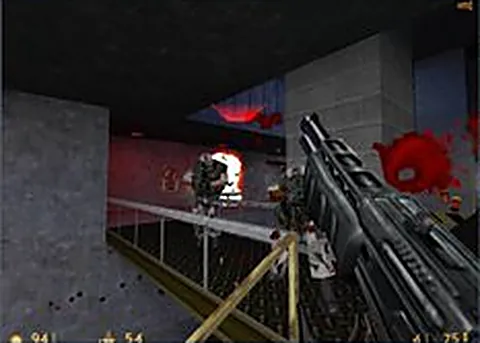
Understand the engine and game data
The browser runs the project's ported engine while game data supplies maps, models, audio and other content. The repository and the linked launch page are the sources to check for the current data formats and supported modes.
Our catalog marks this entry as requiring your game files. Follow the launch page's current instructions and use data from a legitimate copy where required. Browsergame does not provide a Half-Life archive or claim that a source-code license covers Valve's assets.
Starting a desktop browser session
Open the linked project, read its setup screen and let its initial resources load before starting. Keyboard and mouse are a practical starting point for the original first-person game. Use the controls displayed by that particular build.
If input fails while the scene is visible, click the game canvas and inspect the build's control settings. If loading fails before a scene appears, check the required data and browser support instead. Those are different failure stages.
Half-Life versus Counter-Strike browser entries
The directory also has a separate Half-Life / Counter-Strike 1.6 webXash listing. It is a different external destination, so do not assume it shares your imported files, accounts, server list or saves with Pixelsuft's project.
Before removing site data to fix a loading problem, check whether the provider supports save export or keeps imported files locally. Browsergame favorites only remember your chosen catalog titles; they do not preserve game progress on external sites.
Frequently asked questions
Is the Half-Life browser port operated by Valve?
The linked Pixelsuft project is a community Xash and Emscripten port. Browsergame does not present it as an official Valve release.
Do Browsergame favorites save my Half-Life progress?
No. Favorites store catalog selections in your browser. Game progress belongs to the external project and its save system.
Project documentation
These notes describe project documentation and setup, not a verified complete gameplay session. External projects can change.