
Browsergame · Browser game guide
Minecraft in your browser: the official Classic version
- Destination
- classic.minecraft.net
- Setup to check
- Keyboard, WebGL and WebRTC (official page)
- Runs on
- The external provider's website
Minecraft Classic has an official browser destination at classic.minecraft.net. It is a separate Classic experience, so do not expect the features, worlds or accounts of the current Java or Bedrock editions. This is the official Minecraft link in our catalog; community projects such as Eaglercraft are separate listings.
Open Minecraft Classic ↗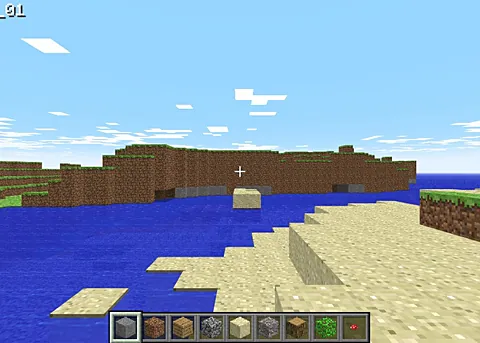
How to open Minecraft Classic
Use the Open Minecraft Classic button to visit classic.minecraft.net. The game loads on that website rather than inside Browsergame. Follow the on-screen instructions to begin, and use a keyboard-equipped device.
Before entering personal information on another Minecraft-branded website, check the domain carefully. The Classic destination linked here is on minecraft.net. Browsergame does not collect a Minecraft password or create a game account.
Browser and device requirements
The official page explicitly requires a keyboard and support for WebGL and WebRTC. If it shows a graphics or browser compatibility message, check whether those features are available in your browser and device settings. A phone without a keyboard is not the right starting point for this version.
If the page fails on a restricted school or work network, that environment may block features or connections the project needs. Use the provider's supported setup rather than assuming every browser tab or network can run it.
Classic versus other Minecraft browser projects
Choose Classic when you want the official older browser experience. Choose a different listing only after checking who operates it and what it requires. Browser versions with similar names can have different features, controls and licensing.
Opening Classic does not migrate a modern Minecraft world or turn the browser into the current full desktop game. If you need current Minecraft features, consult the publisher's edition and purchase information.
Frequently asked questions
Is this Minecraft browser link official?
The Classic button links to classic.minecraft.net, the official Minecraft domain. Other Minecraft entries in our directory are separate projects.
Does Minecraft Classic work with touch controls?
The official Classic page says a keyboard is required. Use a keyboard-equipped device and a browser with WebGL and WebRTC support.
Project documentation
These notes describe project documentation and setup, not a verified complete gameplay session. External projects can change.